Registration that fits your event
Ask the questions you need, set a capacity and publish a registration link that looks like your event.

Event registration & guest management
Create a registration page, keep your guest list in order and check people in at the door. All in one place, without the spreadsheet shuffle.
Start with your event details. Set everything else up later.
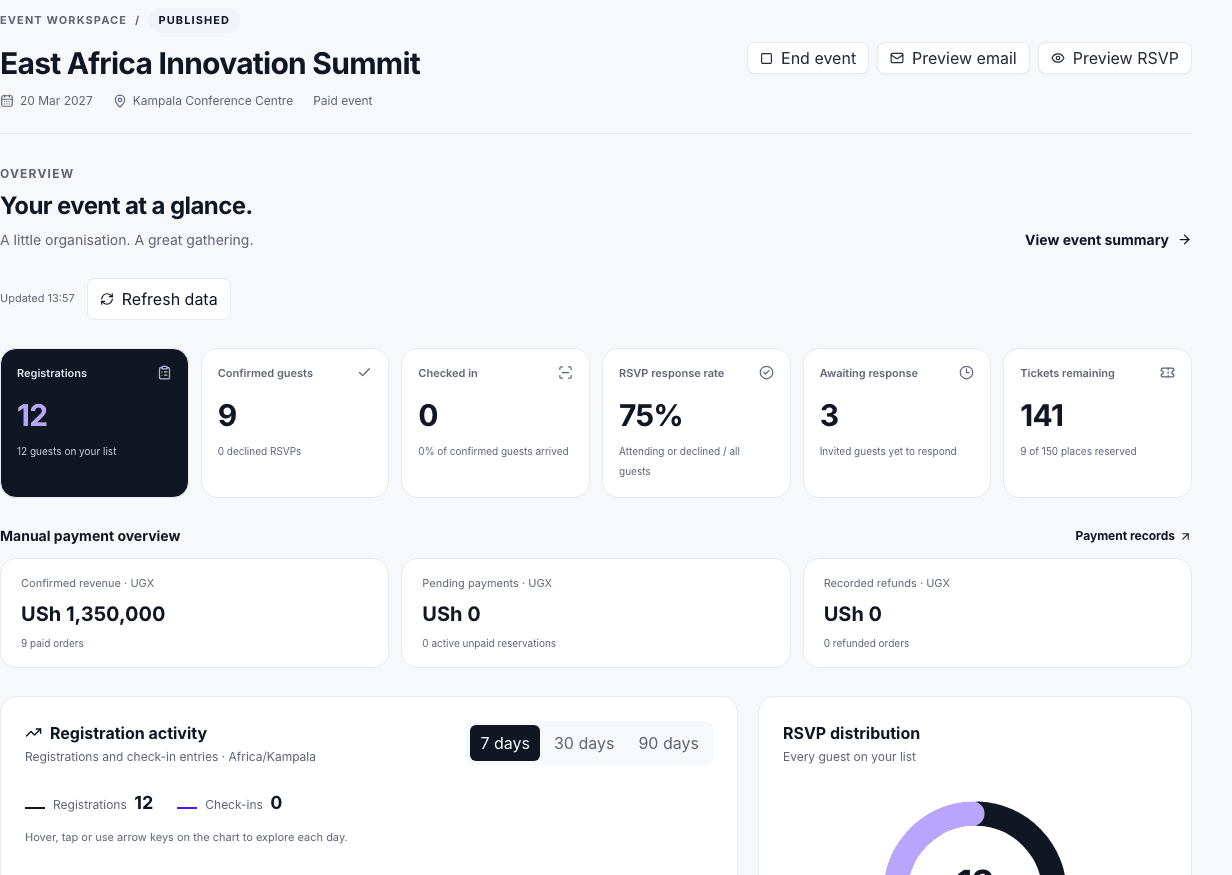
Ask the questions you need, set a capacity and publish a registration link that looks like your event.
See who’s confirmed, who’s pending and who still needs a response. Make updates without juggling files.
Scan a QR code or search by name. Your team sees check-ins as they happen.
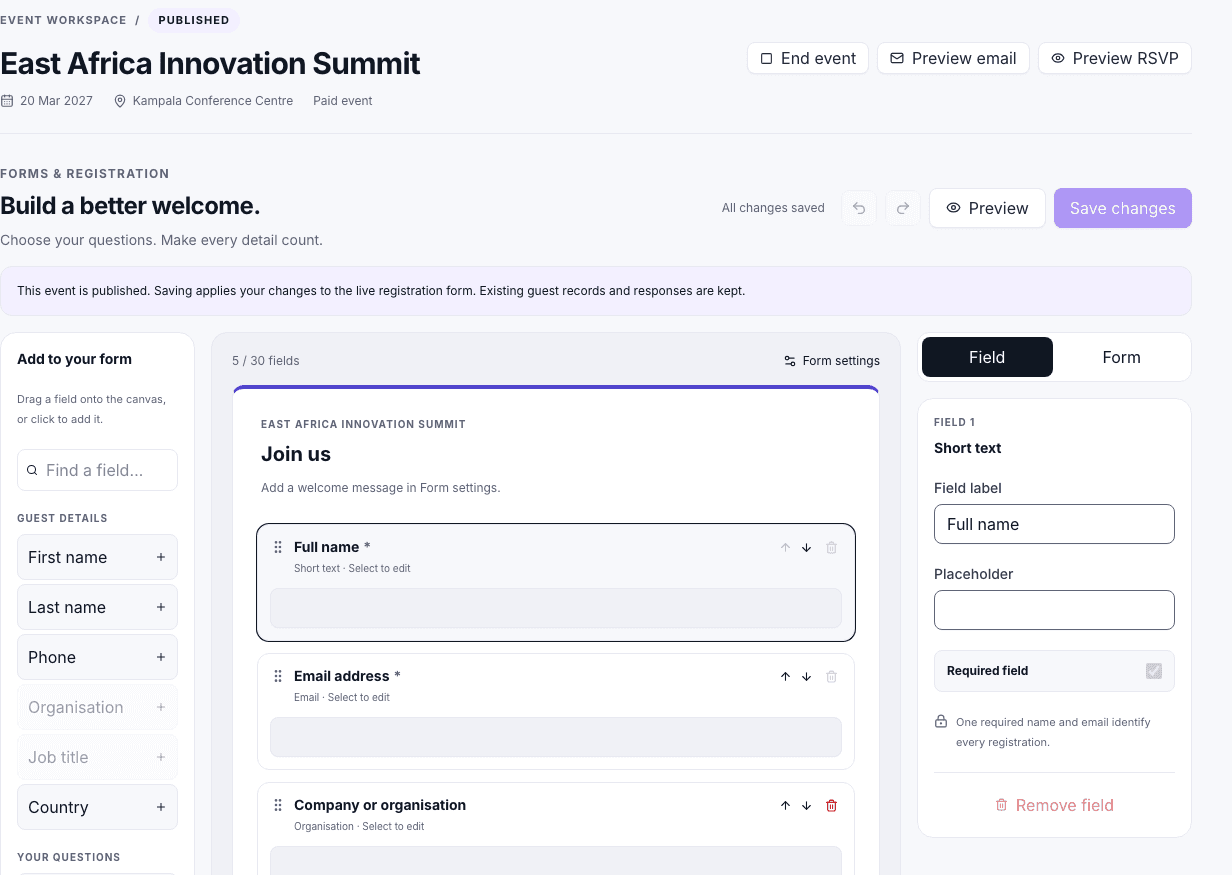
Registration & RSVPs
Give guests one straightforward place to register. Add your logo, choose a layout, ask custom questions and decide whether registrations are confirmed immediately or need approval.
Custom forms · RSVP options · Capacity limits · Branded registration pages
Registration & RSVPsGuest management
Guests cancel. Someone brings a colleague. A VIP needs an approval. Keep those changes in the same place as the original registration, and send the right message to the right people.
Imports · Approval queues · Invitations and reminders
Guest Management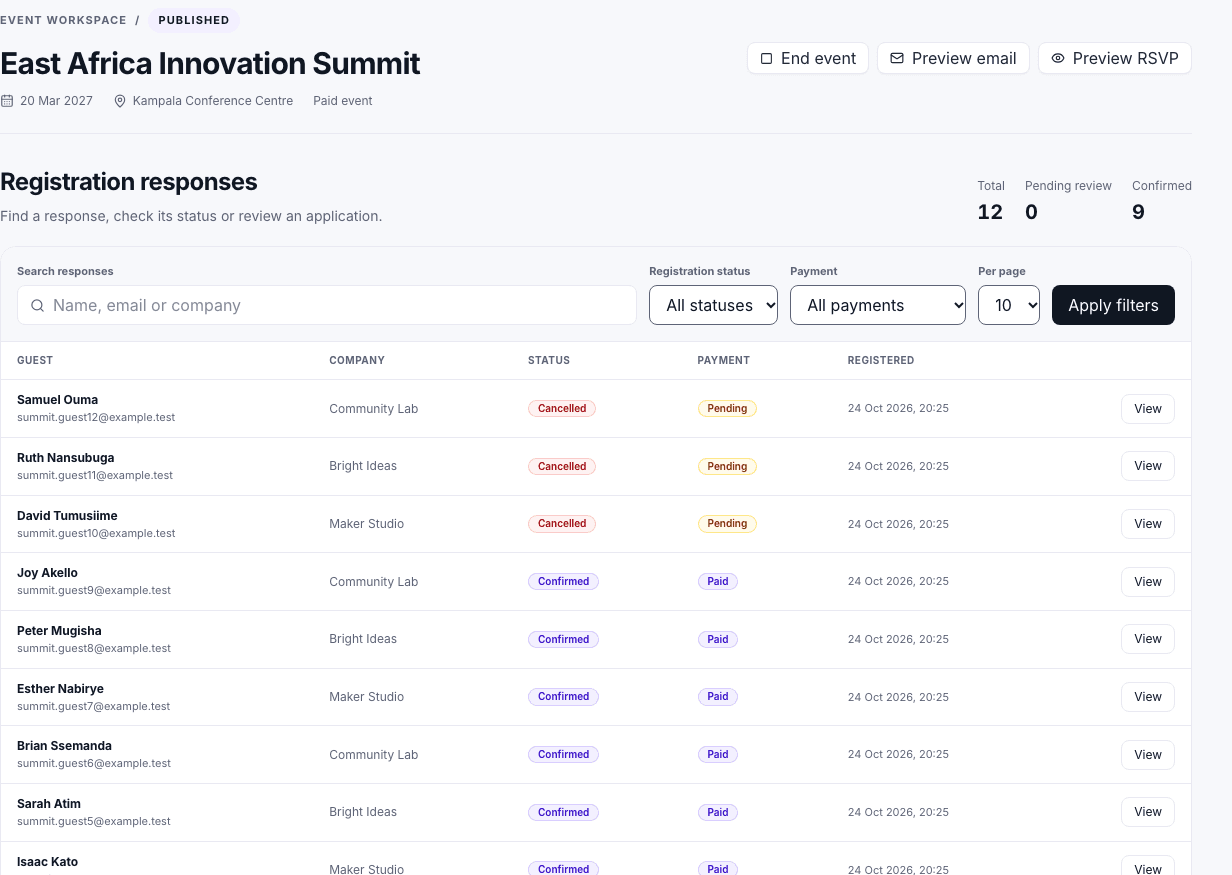
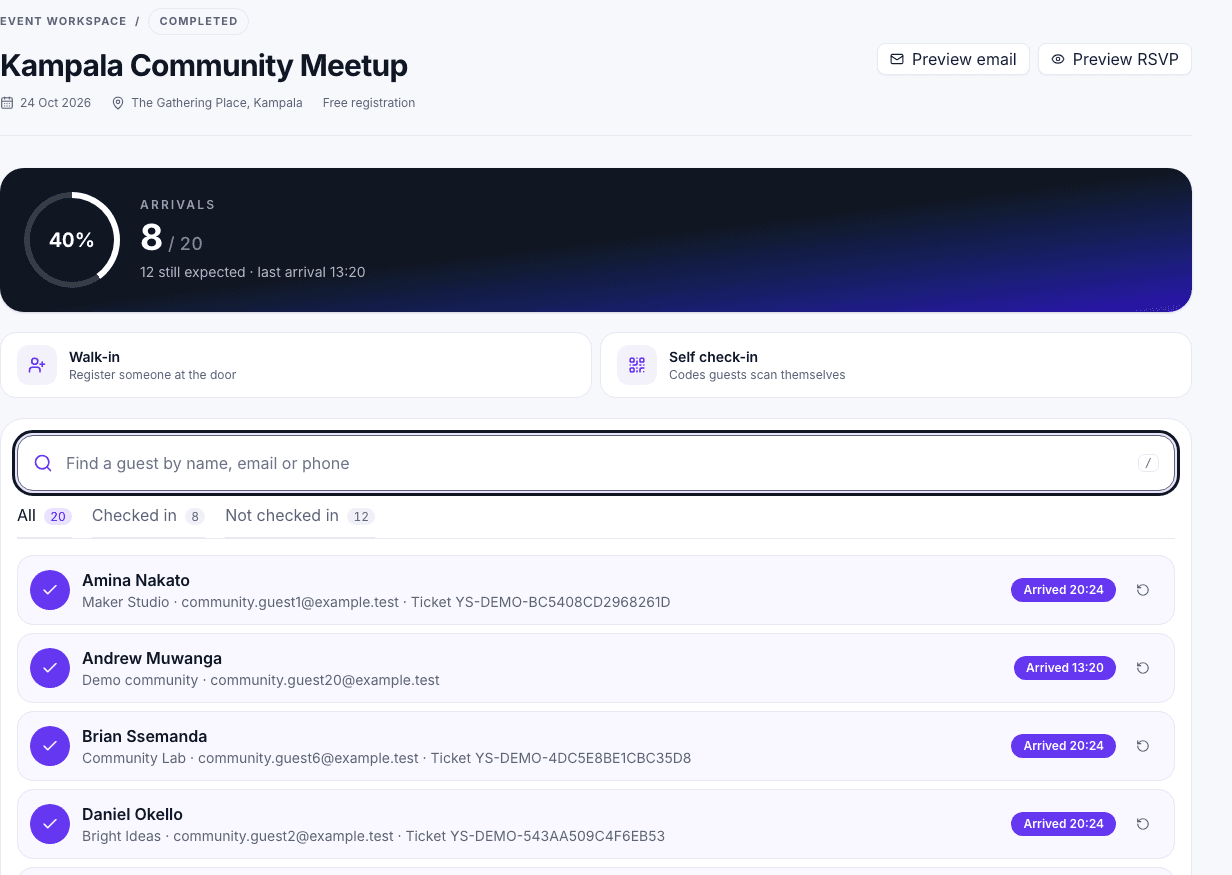
At the door
Give your check-in team a simple view of arrivals. Scan guest QR codes, look up names and see attendance update in real time.
QR check-in · Guest search · Check-in permissions · Live attendance · Exportable reports
Check-in & ReportingWho it’s for
Handle delegate registration, approvals and arrival.
02Manage invited guests, VIPs and internal teams.
03Keep places, responses and attendance organised.
04Share a link, collect RSVPs and plan for the right number of people.
How it works
Name your event and add its date and location.
Free RSVP or tickets.
Create an account, customise the form and publish when you’re ready.
Registration, messages and check-in are easier when they share the same information.